QuartzHD

Tutorial

We Support All devices, if you don’t find your device here please contact us and we will send you instructions on how to use IPTV on it

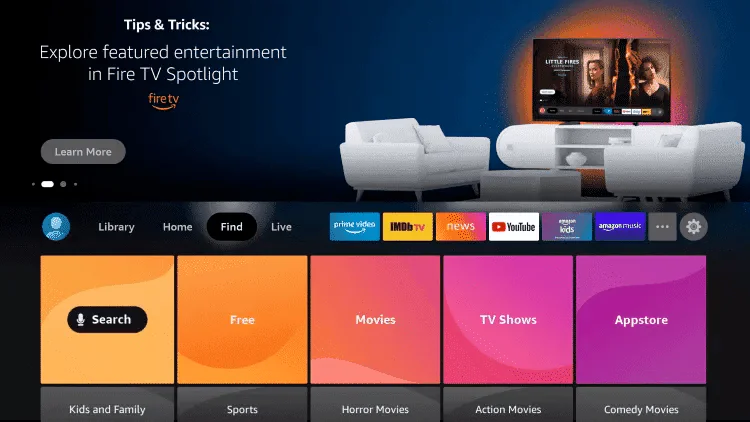
1. From the home screen of your device, hover over the Find option. 

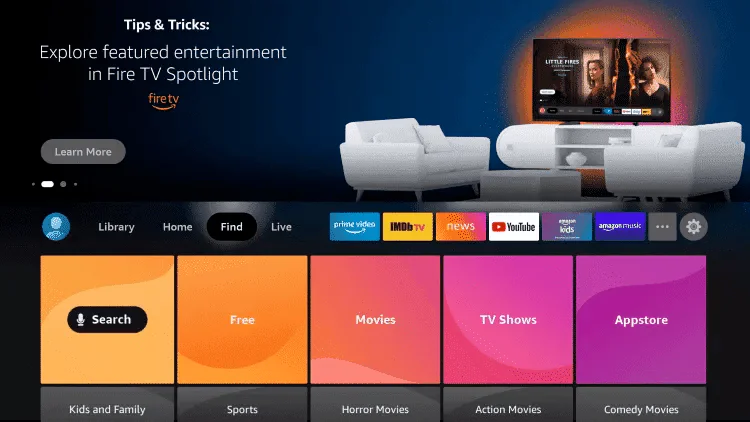
2. Click Search.

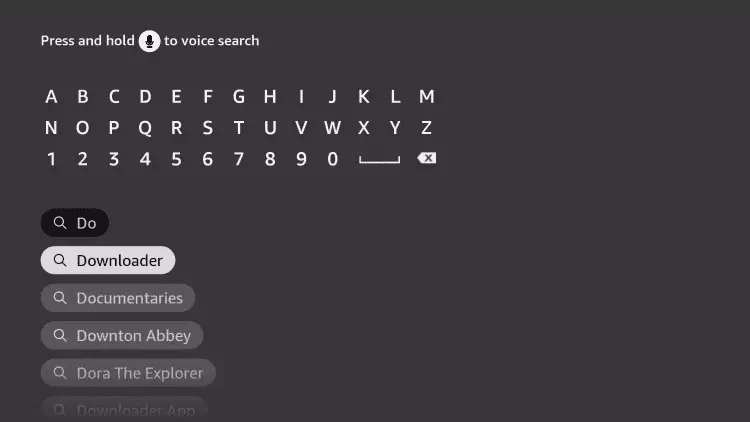
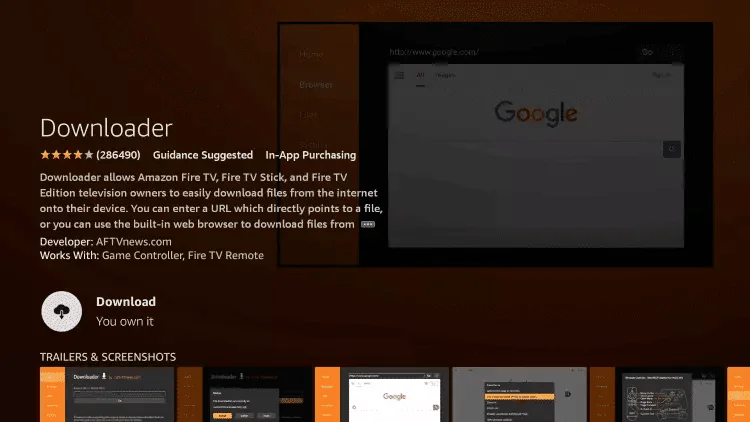
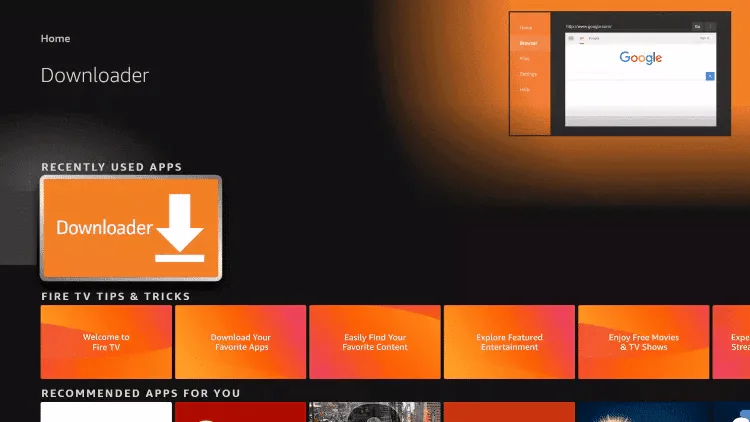
3. Search for and select Downloader. 

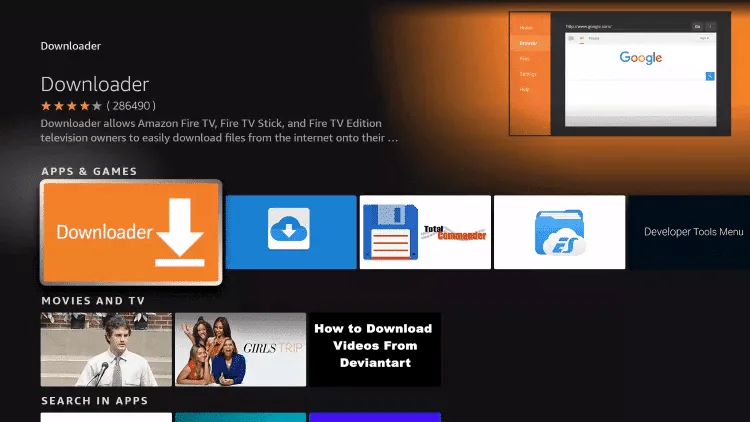
4. Choose the Downloader app. 

5. Click Download. 

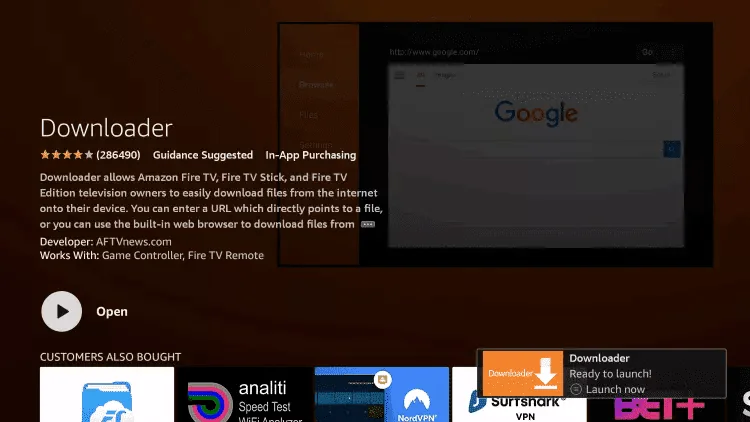
6. Once the app finishes installing click Open.

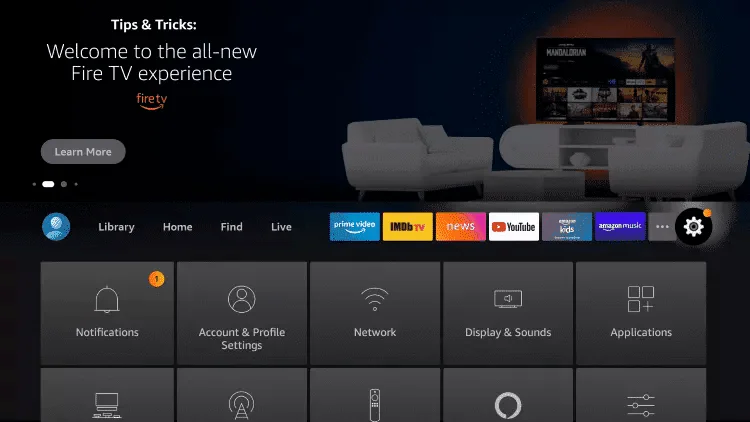
7. Return to the home screen and open Settings.

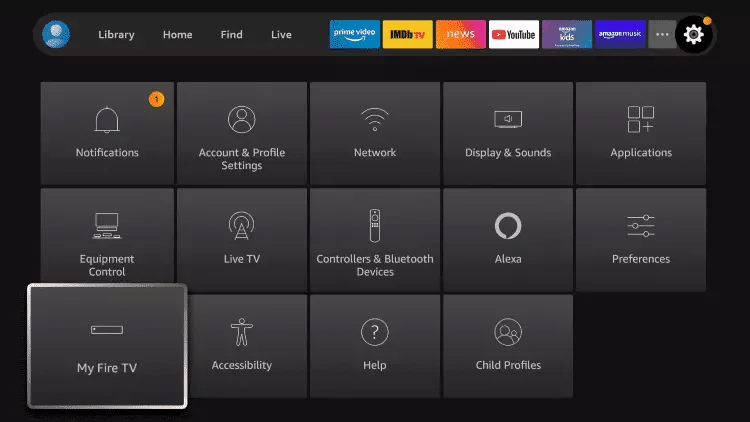
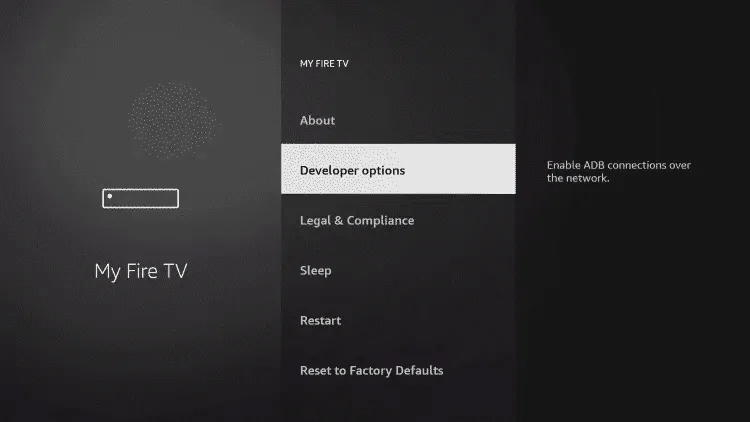
8. Click My Fire TV.

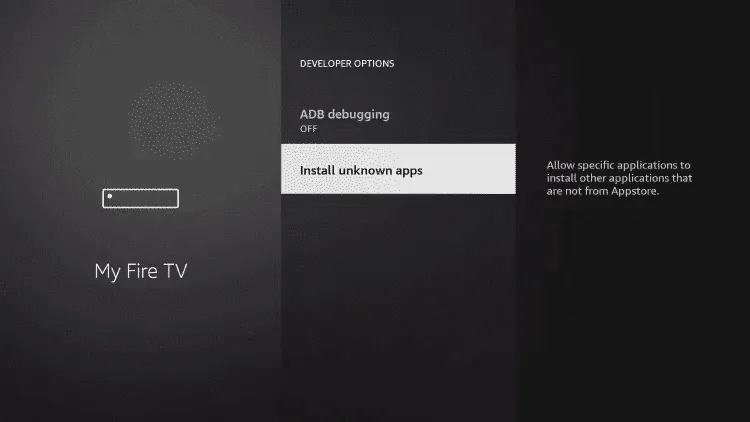
9. Choose Developer options.

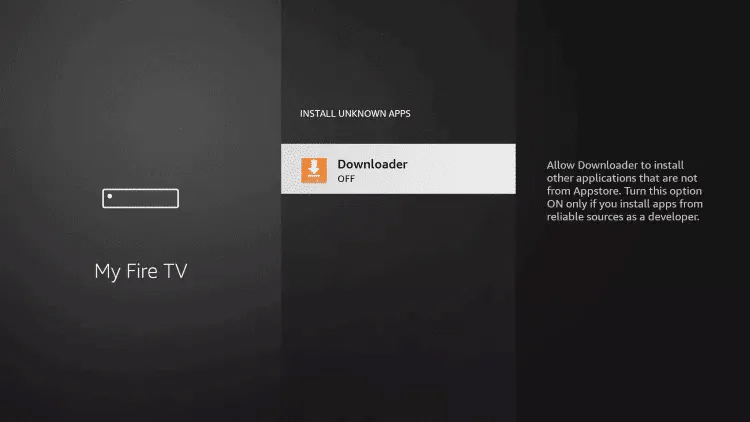
10. Click Install unknown apps.

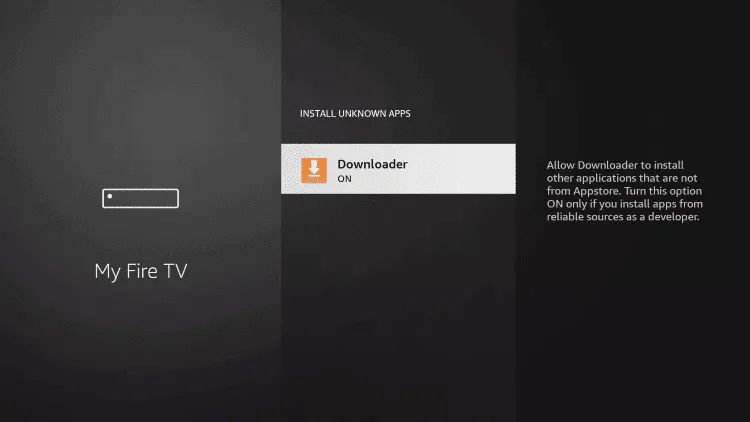
11. Find the Downloader app and click it.

  1. This will turn Unknown Sources to On for the Downloader app. This will enable side-loading on your device.
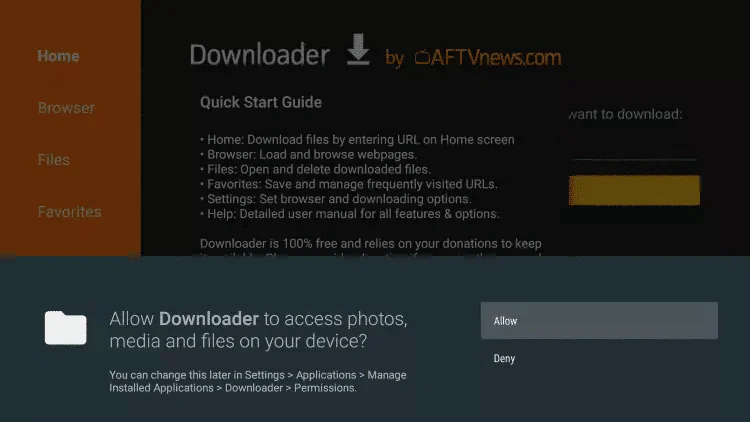
  1. Launch Downloader.
  1. Click Allow.
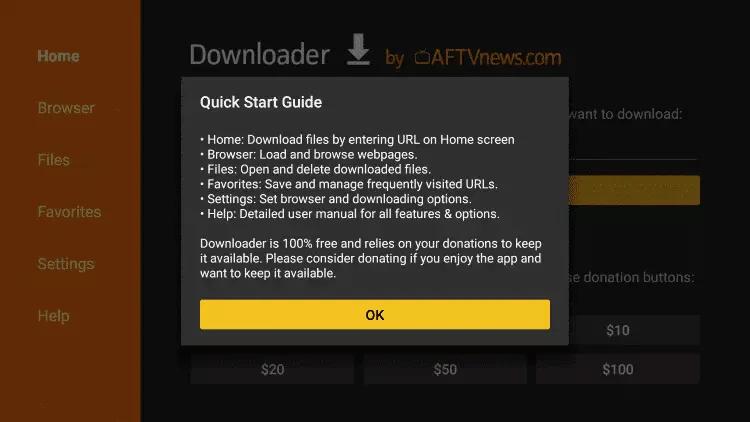
  1. Click OK.
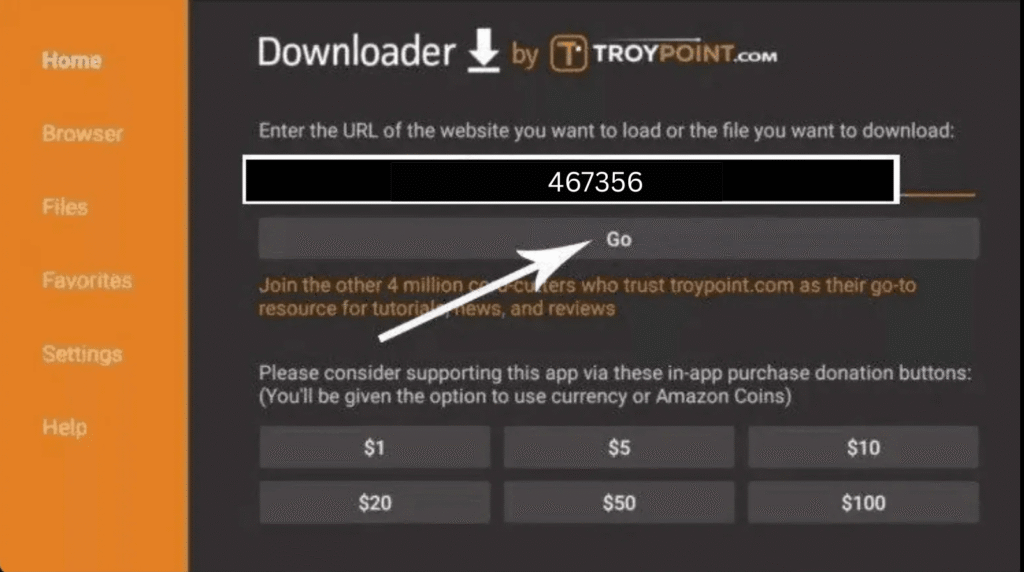
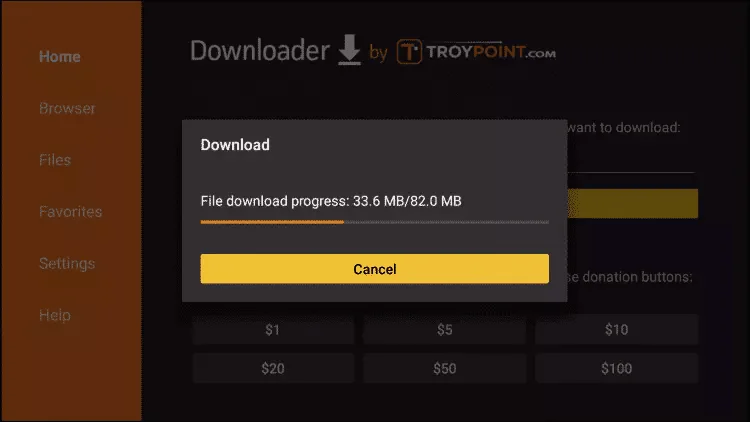
  1. Type the following URL exactly as shown here: 467356
  1. Wait for file to download.
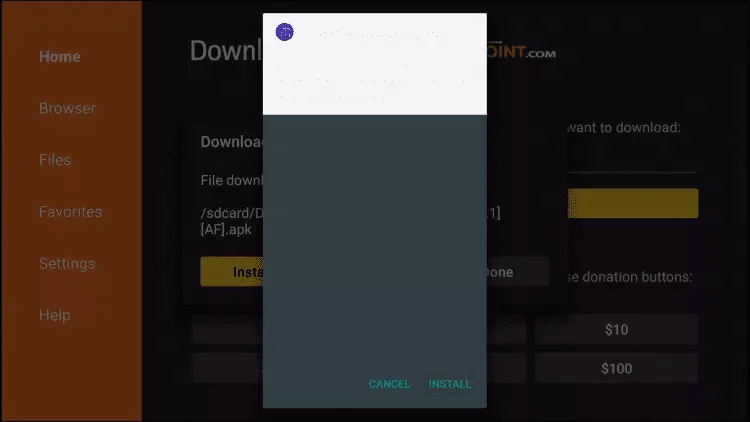
  1. Click Install & Open.

19. Once installed, click open to launch and click on settings  

20. Select “TV GUIDE” 

21. Change the #7 & #24 to a 2 

22. Click on both tabs below and make sure they’re blue.  

23. Click Back button once  

24. Click on appearance 

25. Click on tv guide  

1 Month

4K / FHD / HD Quality
$ 4
99
Monthly
  • No ads
  • Access to full library with thousands of movie
  • HD+ Quality Streaming
  • Watch on any device
  • Stream on 1 device at a time
  • Offline Viewing

3 Months

4K / FHD / HD Quality
$ 4
99
Monthly
  • No ads
  • Access to full library with thousands of movie
  • HD+ Quality Streaming
  • Watch on any device
  • Stream on 1 device at a time
  • Offline Viewing

6 Months

4K / FHD / HD Quality
$ 4
99
Monthly
  • No ads
  • Access to full library with thousands of movie
  • HD+ Quality Streaming
  • Watch on any device
  • Stream on 1 device at a time
  • Offline Viewing

12 Months

4K / FHD / HD Quality
$ 12
99
Monthly
  • No ads
  • Access to full library
  • FullHD Quality Streaming
  • Watch on any device
  • Stream on 4 device at a time
  • Offline Viewing
Popular